---
title: "You Can't Scale Chaos: Why Every Agency Needs an Annual Tech Audit"
description: Learn how to audit the efficiency of your tech stack to discover which tools are performing and which ones should be reconsidered or dropped.
image: https://blog.hawksoft.com/hubfs/BLOG%20BANNER.png
---
- [Home](http://hawksoft.com/)
- [Product](https://www.hawksoft.com/agency-management-system/)
- [Agency Management System](https://www.hawksoft.com/agency-management-system/)
- [Feature Tour](https://www.hawksoft.com/agency-management-system/tour/)
- [Service That Delights](https://www.hawksoft.com/agency-management-system/wow/)
- [Conversions](https://www.hawksoft.com/agency-management-system/conversions/)
- [Why HawkSoft](https://www.hawksoft.com/why-hawksoft/)
- [Agency Stories](https://www.hawksoft.com/stories/)
- [About Us](https://www.hawksoft.com/about/story/)
- [Our Story](https://www.hawksoft.com/about/story/)
- [Core Values](https://www.hawksoft.com/about/core-values/)
- [Leadership](https://www.hawksoft.com/about/leadership/)
- [Partners](https://www.hawksoft.com/about/partners/)
- [Careers](https://www.hawksoft.com/about/careers/)
- [Support](https://www.hawksoft.com/support/)
- [Contact Support](https://www.hawksoft.com/support/)
- [Submit Support Ticket](https://www.hawksoft.com/support/ticket/)
- [Join a Support Session](https://www.hawksoft.com/support/join/)
- [System Requirements](https://www.hawksoft.com/support/system-requirements/)
- [Download Center](http://download.hawksoftinc.com/)
- [Resources](https://www.hawksoft.com/guides/)
- [Carrier Downloads](http://hawksoftinc.com/agency-management-system/carrier-downloads)
- [HawkSoft University](https://www.hawksoft.com/university/index.html)
- [HUG (HawkSoft User Group)](https://www.hawksoft.com/hugs/index.html)
- [Referral Program](https://www.hawksoft.com/referrals/index.html)
- [Shows & Conventions](https://www.hawksoft.com/shows/index.html)
- [Guides & Brochures](https://www.hawksoft.com/guides/index.html)
- [Contact Us](https://www.hawksoft.com/contact/)
- [Blog](https://hawksoft.com/blog/)
## [HawkTalk Blog](https://blog.hawksoft.com/)
## Industry insights for independent insurance agencies
[](https://www.hawksoft.com/)
[August 25 2026](https://blog.hawksoft.com/you-cant-scale-chaos-why-every-agency-needs-an-annual-tech-audit)
- [Tweet](https://twitter.com/share)
[No Comments](https://blog.hawksoft.com/you-cant-scale-chaos-why-every-agency-needs-an-annual-tech-audit#comments-listing) [Insurance technology](https://blog.hawksoft.com/topic/insurance-technology), [industry topics](https://blog.hawksoft.com/topic/industry-topics)
# You Can't Scale Chaos: Why Every Agency Needs an Annual Tech Audit
[](https://blog.hawksoft.com/you-cant-scale-chaos-why-every-agency-needs-an-annual-tech-audit)
Q4 is your strategic planning window. Start building the list now.
Here's a quick test. Without opening a spreadsheet, list every software tool your agency pays for. Not a rough estimate. The actual list, with the actual costs.
Most agency owners can't. That's not a knock on anyone's management skills; it's what happens when a business adds new tools over the years without regularly reviewing the one they already have. With most subscriptions now billing automatically, the money just leaves the account quietly, whether or not anyone is still using the software.
This is where an annual agency get an accurate view of the software you're already paying for and evaluate what's serving you well, what's being underutilized, and what needs to be cancelled.
In this article:
- [What an unaudited stack actually costs you](https://blog.hawksoft.com/you-cant-scale-chaos-why-every-agency-needs-an-annual-tech-audit#costs)
- [When to plan your audit](https://blog.hawksoft.com/you-cant-scale-chaos-why-every-agency-needs-an-annual-tech-audit#when)
- [The 4-part audit framework](https://blog.hawksoft.com/you-cant-scale-chaos-why-every-agency-needs-an-annual-tech-audit#framework)
- [Before you buy another tool](https://blog.hawksoft.com/you-cant-scale-chaos-why-every-agency-needs-an-annual-tech-audit#before)
- [90-day implementation plan](https://blog.hawksoft.com/you-cant-scale-chaos-why-every-agency-needs-an-annual-tech-audit#implementation)
## What an unaudited stack actually costs you
Like those moldy leftovers in the back of the fridge, your agency's software tools can also go stale and forgotten. Technology waste shows up in six predictable places:
1. **Forgotten tools**
Subscriptions from an old project that nobody canceled.
2. **Duplicate functionality**
Multiple tools with overlapping capabilities.
3. **Integration gaps**
Tools that don't talk to each other, so your team has to bridge the gap manually.
4. **Missed ROI**
Features you already pay for that nobody knows exist.
5. **No routing framework**
Tech that can't support the automation you'll need in three years.
6. **Surprise renewals**
Auto-renewing contracts with no evaluation, negotiation, or exit.
Agencies that run a complete inventory typically uncover three to five tools they'd entirely forgotten about. That could add up to hundreds of dollars needlessly leaving your account every month.
But the real opportunity is bigger than the recovered dollars. Your technology is the architecture of your operations. Which tools you run, how they connect to your agency [management system](https://www.hawksoft.com/agency-management-system/) (AMS), and how well your team uses them will determine whether your agency can structure itself to scale.
Tech is a tactic. Structure is a strategy.
### When to plan your audit
Q4 is the best time to do a tech audit for several reasons:
Budget planning
Q4 is when you set next year's numbers. Running your audit around this time will give you a more accurate idea of what you're spending on technology and what can be added or removed for the next year.
Contract renewals
Many annual software contracts renew in January. Q4 may be your last real window to renegotiate, switch, or cancel before you're locked in for another twelve months.
Team capacity
For many agencies, the service side slows at year-end, making it one of the few stretches where you can carve out time to train staff on software.
Strategic alignment
The strongest agencies enter January with an operational plan, not just a revenue goal: a clear answer to what they're running on, canceling, upgrading, and training on.
This isn't to say agencies need to wait until Q4 to start the audit. Consider gathering and documenting information as you have time throughout the year so by Q4 there's less of a lift, and you can focus on reviewing the info and making decisions.
## The four-part tech audit framework
Here's a simple four step framework to help you inventory and evaluate your technology stack. You can download our Agency Tech Audit Tracker spreadsheet to work through each step.
[> Download audit tracker spreadsheet](https://blog.hawksoft.com/hubfs/Agency%20Tech%20Audit%20Tracker.xlsx)
### Step 1: Tech inventory & cost tracker
You can't audit what you can't see. Pull the last twelve month of business credit cards and bank statements and find every recurring technology charge. Work from the paper trail, not from memory.
For each tool, capture these important data points:
- Tool name and vendor
- Category (AMS, CRM, e-sign, rating, etc.)
- Number of users, billing cycle
- Monthly and annual cost
- Renewal date and contract length - whether it auto-renews, who owns its internally, and the one thing that stings whether it's genuinely in active use.
The tracker will calculate annual cost from the monthly figure, so you can see the true Total Annual Tech Spend. Seeing that number for the first time is usually the moment the audit stops feeling like a chore.
### Step 2: Feature gap analysis
Knowing what you pay for is a start. Understanding what you're getting for your money is more difficult. Ask these three questions per tool:
1. What features are we actually using?
Not what the rep demoed, not what you *could* use. What does your team make use of on a weekly basis? For most software, the honest answer is 20 to 30 percent of its capability.
2. What features are we not using, but should be?
This is your hidden ROI: capabilities you've already purchased and simply haven't unlocked. You may also discover that the new tool you were about to buy is already covered by existing software capabilities.
3. What features do we wish this tool had?
These are your gap signals. A small gap usually closes with training. A fundamental gap where the tool genuinely cannot do the job is a case for evaluating alternatives.
4. Does it integrate with your AMS, and is it routing-capable?
Can tasks trigger automatically? Can it connect to bots or virtual employees and take routine work off a licensed staff member's plate?
### Step 3: ROI & value scoring
Tech decisions usually get made on gut feelings. Now that your agency has spent time using each tool, you can quantify their effectiveness to make data-driven business decisions. In your tracker, score every tool 1 to 5 across five dimensions, for up to 20 points total:
1. **Daily usage:** How often does the team actually open it?
2. **Team adoption:** What percentage of relevant staff use it well?
3. **AMS integration:** How tightly does it connect to your AMS workflows?
4. **Routing/AI readiness:** Can it support automation, bots, or routing logic?
5. **ROI vs. cost:** Is the value worth the price?
Next, sort your tools into four tiers, depending on their score:
1. **Essential (20 - 25 points):** Protect and invest
2. **Valuable (15 - 19 points):** Keep and optimize
3. **Marginal (10 - 14 points):** Put it on a 90-day watch list
4. **Low value (0 - 9 points):** A strong candidate for cancellation
A low score can mean one of two very different things: the tool doesn't deliver, or your team isn't using it. The scoring tells you which conversation to have. And the math adds up fast, cancelling a few Tier 4 tools at $200 a month could save your agency over $10,000 a year.
### Step 4: Education & training plan
This is the step audits tend to skip, and it's where the most money is left on the table.
A tool that's fully implemented, fully paid for, but poorly adopted by staff counts as zero. Zero automation. Zero efficiency gains. Zero returns. **An undertrained tool has the same operational impact as no tool at all. **
For every tool scoring low on adoption, ask: Are we using what we're paying for? Does the team know *how* to use it? Is vendor training available (often free)? Could better training on one tool eliminate the need for another? Who owns mastery of it going forward?
Your plan should name the tool, the current versus target skill level, the training method, a completion date, and the responsible team members. That last line is the difference between a plan and hope. Build your training plan in Q4, execute it in Q1, and by mid-year you'll have a measurably more capable team.
## Before you buy another tool
The most common post-audit mistake is finding a problem and immediately buying something to fix it. Often the issue isn't the wrong tools, it's the right tools being underused or disconnected. Three questions to ask before anything new enters the stack:
1. What metric does this move?
Retention, response time, quoting speed, automation rate. If you can't name a metric, don't buy.
2. What area does this improve?
Every agency task falls under an area like sales, quoting, servicing, account management, claims, back office, and compliance. If a tool doesn't reduce a specific task burden, it's adding noise. Before you add a new tool, make sure none of your existing tools already cover the needed functionality.
3. What handler will run this?
A bot, a virtual employee, or a licensed staff member? If nobody owns the tool from day one, it will sit unused—and you'll be back here next Q4 wondering why you bought it.
## Your 90-day implementation plan
What should this process look like in practice? Here's a quick guide for how to structure your first 90 days of implementation.
Days 0-30: Stabilize
Pull the statements, complete the inventory, cancel or pause at least one unused tool immediately, map every tool to a task category, and score your baseline.
Days 31-60: Structure
Finish the feature gap analysis, launch training for every underused tool you're keeping, evaluate or replace the lowest scorers, and route at least three workflows to automation.
Days 61-90: Scale
Reinvest documented savings into routing-capable tools, update your AMS workflow integrations, finalize next year's technology budget, and schedule next year's audit before you forget.
A tech audit done once is useful. A tech audit done annually is transformational. Make it a standing October agenda item, track costs in one document year-round, and note the renewal date every time you onboard something new.
The agencies that lead won't be the ones with the most tools. They'll be the ones with the right tools: fully used, tightly integrated, and intelligently routed. You cannot scale chaos. An annual tech audit will help you keep your agency's technology structured, supported and poised to fuel growth.
| Download our tech audit tracker *This spreadsheet workbook helps your agency inventory your tech, score its value, and track training and implementation. * *[](https://hubspot-cta-redirect-na2-prod.s3.amazonaws.com/cta/redirect/2877886/0e04803d-6a1e-40ff-935d-75551e393c93)* |
| --- |

### Author: HawkSoft Marketing Editorial Team
Have ideas for content? Want to share your expertise on our blog? Email us at marketing@hawksoft.com.
[Insurance technology](https://blog.hawksoft.com/topic/insurance-technology), [industry topics](https://blog.hawksoft.com/topic/industry-topics)
Previous post: [The Hidden Cost of Policy Lapses and the Payment Features That Stop Them ](https://blog.hawksoft.com/the-hidden-cost-of-policy-lapses-and-the-payment-features-that-stop-them)
Search this site on Google
Search
### archives
- [partner content (72)](https://blog.hawksoft.com/tag/partner-content)
- [HawkSoft news (69)](https://blog.hawksoft.com/tag/hawksoft-news)
- [industry topics (68)](https://blog.hawksoft.com/tag/industry-topics)
- [Automation (45)](https://blog.hawksoft.com/tag/automation)
- [insurance perspectives podcast (27)](https://blog.hawksoft.com/tag/insurance-perspectives-podcast)
### Follow Us
-
-
-
### you might also like

[How to Implement AI at Your Independent Insurance Agency](https://blog.hawksoft.com/how-to-implement-ai-at-your-independent-insurance-agency) [Read More](https://blog.hawksoft.com/how-to-implement-ai-at-your-independent-insurance-agency)
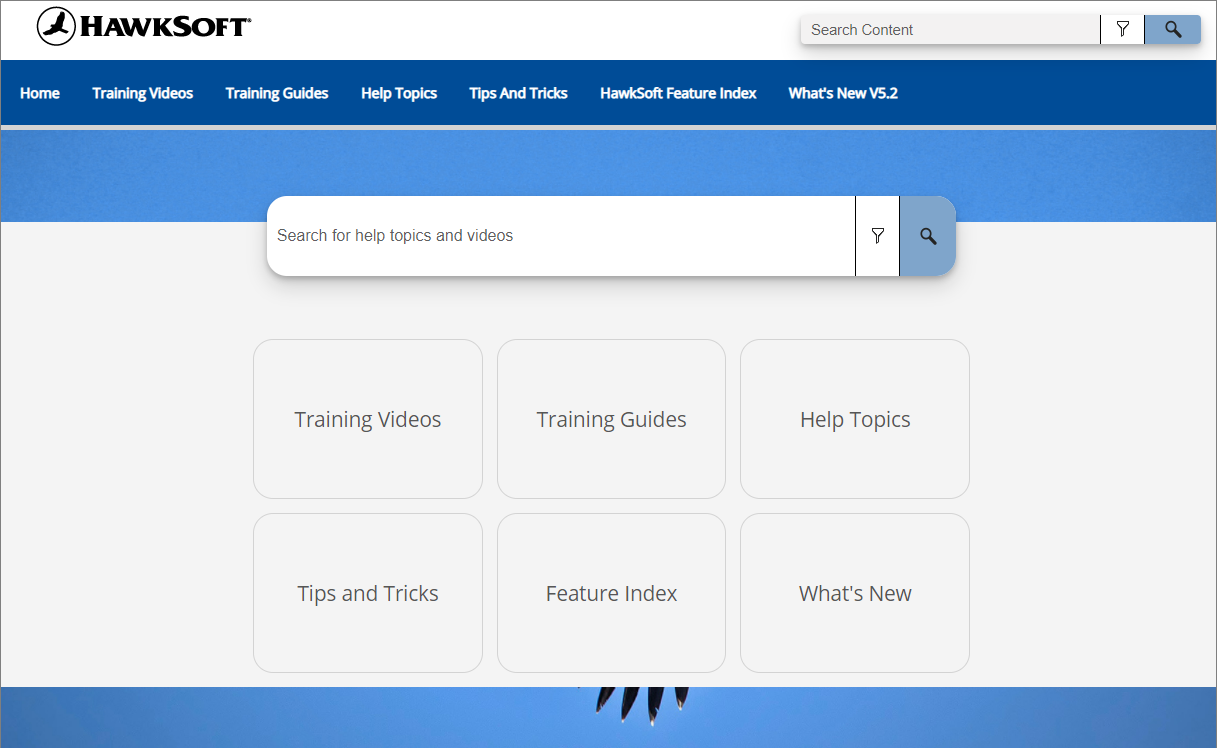
[The HawkSoft Help Portal: Your New All-in-One Help Resource](https://blog.hawksoft.com/help-portal-introduction) [Read More](https://blog.hawksoft.com/help-portal-introduction)
**Address**
1230 SE 3rd Ave
Canby, OR 97013
**Phone**
866-884-4680
**Hours**
Monday – Friday | 6:00AM – 5:00PM
Pacific Standard Time
[© Copyright 2017 HawkSoft, Inc. All Rights Reserved.](https://www.hawksoft.com/)