
We recently launched a new platform for the HawkSoft Community, our online forum for product suggestions. If you haven’t tried it out yet or have never used HawkSoft Community, now is a great time to start!
There are lots of great reasons to use HawkSoft Community:
- It provides a standard format for submitting product suggestions
- It allows users to vote and comment on each other’s ideas
- It helps HawkSoft prioritize and gauge demand for new features
- It’s the best way for users to shape the future of the HawkSoft platform
HawkSoft’s product roadmap has always been driven by the feedback of our agency users (learn more in our article on how HawkSoft processes user feedback), and this new update makes it easier than ever to submit, track, and collaborate on suggestions. Let’s talk about the top features to check out in the new HawkSoft Community!
In this article:
Getting started with HawkSoft Community
Getting started with HawkSoft Community
Haven't been to the HawkSoft Community before? It's easy – just go to the Help (?) menu in HawkSoft and select HawkSoft Community. No login is necessary, since you’re already logged into HawkSoft.
Want to access it from a device that doesn’t have HawkSoft installed? No problem! Just log into HawkSoft from the browser at hawksoft.app and select it from the Help menu.
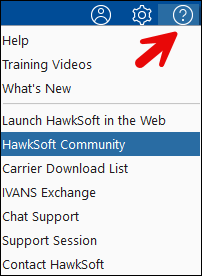
Once you're in, here's a few ideas to get you familiar with the updated platform!
1. Submit a suggestion
Creating a post in HawkSoft Community is easier than ever! The system automatically checks for existing posts on the topic, so check the Similar Posts section at the bottom of the window to see if there’s already an existing suggestion – if so, you can simply upvote and comment on the existing post.
Remember to be as specific and detailed as possible in your post – you can attach screenshots, links, and even videos to help show us your idea (just don't forget to remove any sensitive customer data). See our article on best practices for submitting a suggestion in HawkSoft Community for more details and examples. Don’t forget to add a tag to categorize your suggestion so it’s easier for people to find!
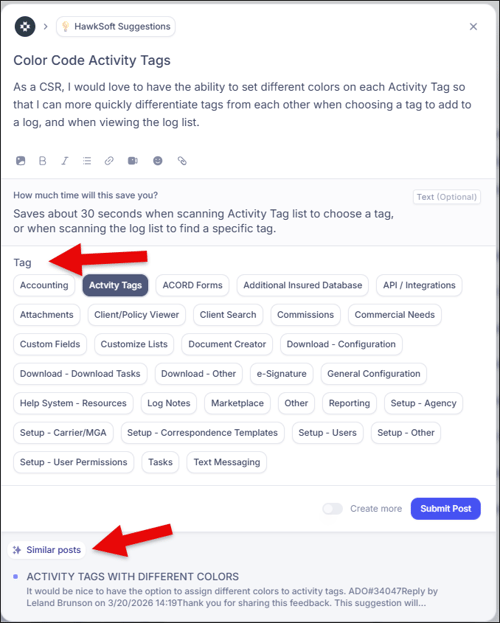
An example of creating a new post, highlighting the post tags and the suggested similar posts on the same topic.
2. View and interact with posts from other users
Aside from submitting your own suggestions, you can also vote or comment on suggestions from other users. Use the options at the top of the page to view new, top, or trending items, filter by tag or other categories, or search by keyword.
Upvote & comments
To vote for a suggestion, just click the number of upvotes in the top right corner of the post. The righthand panel shows other important information like the item’s status (set by HawkSoft), author, and other details. There’s also a button to subscribe to get email notifications when there are updates on that item.
Further down on the post you can read comments or leave your own, select how important the update is to you, see the post’s history, and more.

Viewing a post, with the upvoting area highlighted
Manage notifications & activity
In the top right corner you can see your inbox (bell icon), where you can see notifications for comments, posts, and mentions. In your profile (round icon) you can also manage your email notification settings, or go view your past activity.
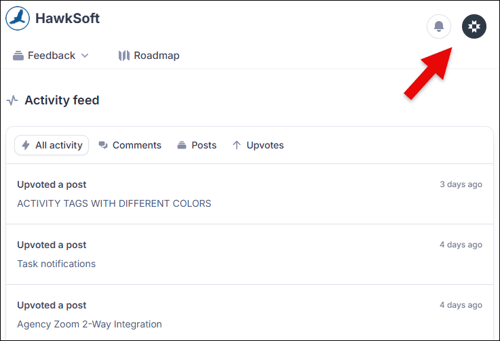
The activity feed in the My Profile area
3. Check out the progress roadmap
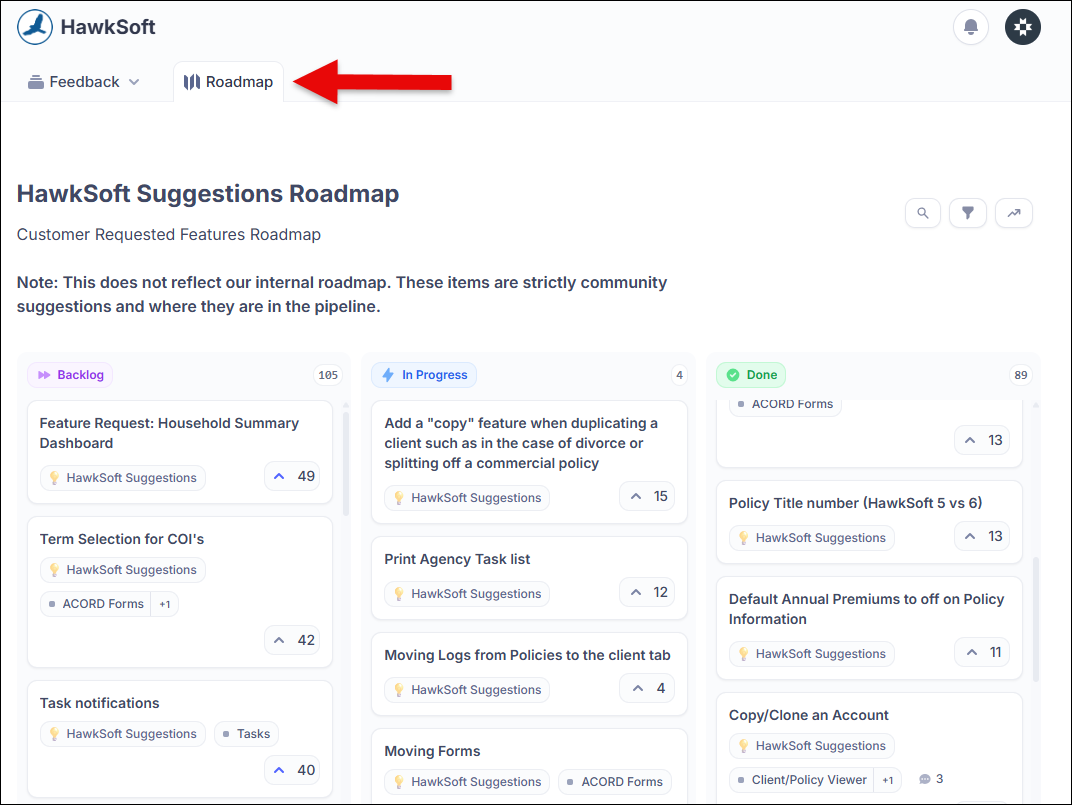
The Roadmap tab at the top of the page lets you see the top items in each status at a glance. Backlog items have been reviewed by HawkSoft , In Progress items are currently in development, and Done items have already been released . You can filter or search for posts from this view as well.
It’s exciting to see what’s in the works, and take a look at how many items have been released based on feedback from users!
Help us make HawkSoft even better
We hope you’ll use the HawkSoft Community to share ideas and collaborate with us on how to keep improving HawkSoft. Our purpose is to help independent agents succeed, and no one understands your workflows better than you. Thanks for helping us make HawkSoft the best platform it can be!
Learn more about sharing product feedback with HawkSoftLearn how HawkSoft processes user feedback, why some suggestions take more time to implement, and get best practices for creating posts in HawkSoft Community!  |